Send your emails to thousands of people. From your own account.
X Mailer is a simple Windows app. Add your email accounts, upload your list, write your message, press start.
Add your email accounts, upload your list, write your message, press start.
Free to try. No card needed.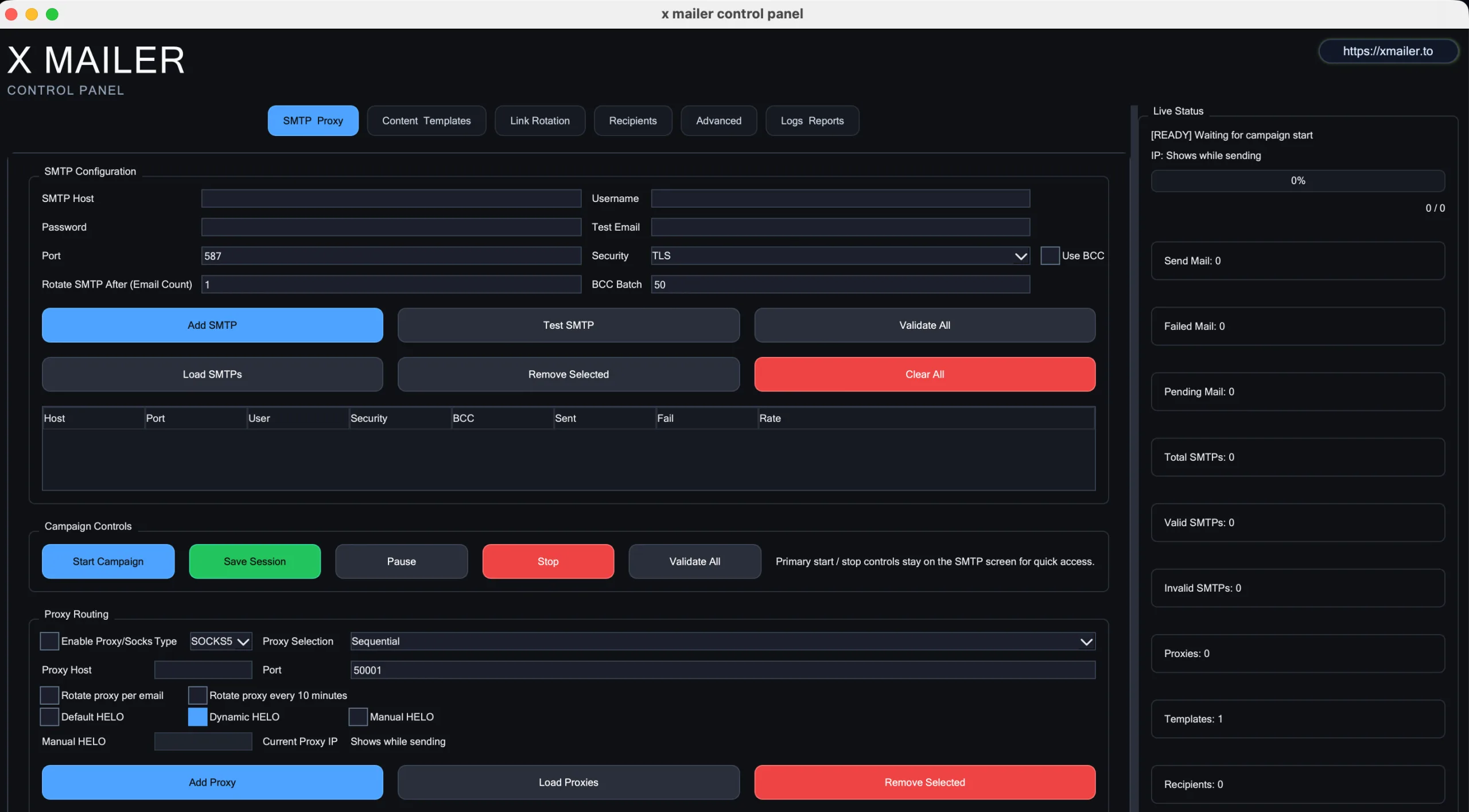
Add your email accounts
Use as many as you like. X Mailer takes turns between them so no single account does all the work.
Use as many as you like. X Mailer takes turns between them.
Upload your list, write once
Drop in a spreadsheet. Use each person's name in the message. Bad and duplicate addresses are removed for you.
Drop in a spreadsheet. Bad and duplicate addresses are removed for you.
Press start, watch it go
See every email as it's delivered. Pause any time. If your computer restarts, pick up where you left off.
See every email deliver. Pause any time. Pick up where you left off.
What's inside the app
Six tabs. Start with the first two, use the rest when you need them.
Many senders, one campaign
Add as many SMTP accounts as you like; X Mailer tests each one and rotates between them.
Write once, personalize per person
HTML or plain text, with a live preview, spreadsheet fields, spintax, and rotating links.
Clean lists before you send
Import CSV or TXT, map your columns, drop duplicates, and seed‑test to yourself first.
Route through your own servers
Add rotating proxies alongside your SMTP accounts when you want a fresh connection per send.
Tune deliverability yourself
Header randomization, HELO control, per‑domain rules, and scheduled or simulated sends.
Watch every send land
A live log of each delivery and failure, with failures grouped by cause.
Need a fresh internet address for each send?
Add our rotating proxy service. It switches your connection automatically, every 10 minutes or on every email.
Fine control when you need it
Everything above stays simple by default. These settings are there when you want to tune deliverability yourself.
Header randomization
Randomize MIME boundaries, rotate the X‑Mailer header, and generate a custom Message‑ID format for every send.
Random MIME boundaries, rotating X‑Mailer header, custom Message‑ID format.
Domain‑level rules
Set delay, template, sender or proxy per recipient domain — domain|delay=2|template=Promo.
Set delay, template, sender or proxy per recipient domain.
HELO control
Choose default, dynamic, or fully manual HELO values per SMTP connection.
Default, dynamic, or fully manual HELO per connection.
Scheduling & simulation
Schedule a start time, or run a dry‑run simulation across a sample count before committing to a full send.
Schedule a start time or dry‑run a sample before a full send.
Link rotation & spintax
Rotate destination links with %link% tags and vary wording per recipient with spintax blocks.
Rotate links, vary wording per recipient with spintax.
Detailed logs & failure analytics
Every send logged with timing and status. Failures grouped by cause so you can see what to fix.
Every send logged; failures grouped by cause.
TLS, SSL, or plain
Pick the security mode per SMTP connection, with automatic STARTTLS on port 587.
Pick security mode per connection, with automatic STARTTLS on port 587.
Configurable soft‑failure retries
Set how many times a temporary rejection gets retried before it's logged as a failure.
Set how many times a temporary rejection is retried before it's logged as failed.
Simple pricing
The app and the proxy service together. One bill, and we help you set it up.
ChooseRotating connections for any tool you use. $59 for a new address on every email.
ChooseTry it today
Works on Windows 10 and 11. Questions? Write to us.
Windows 10 and 11.
Download for Windows